
Rental property accounting and financial reports
Double-entry accounting, bank reconciliation, and 20+ financial reports built for rental properties, not bolted on.
14-day free trial · No credit card required · All features included
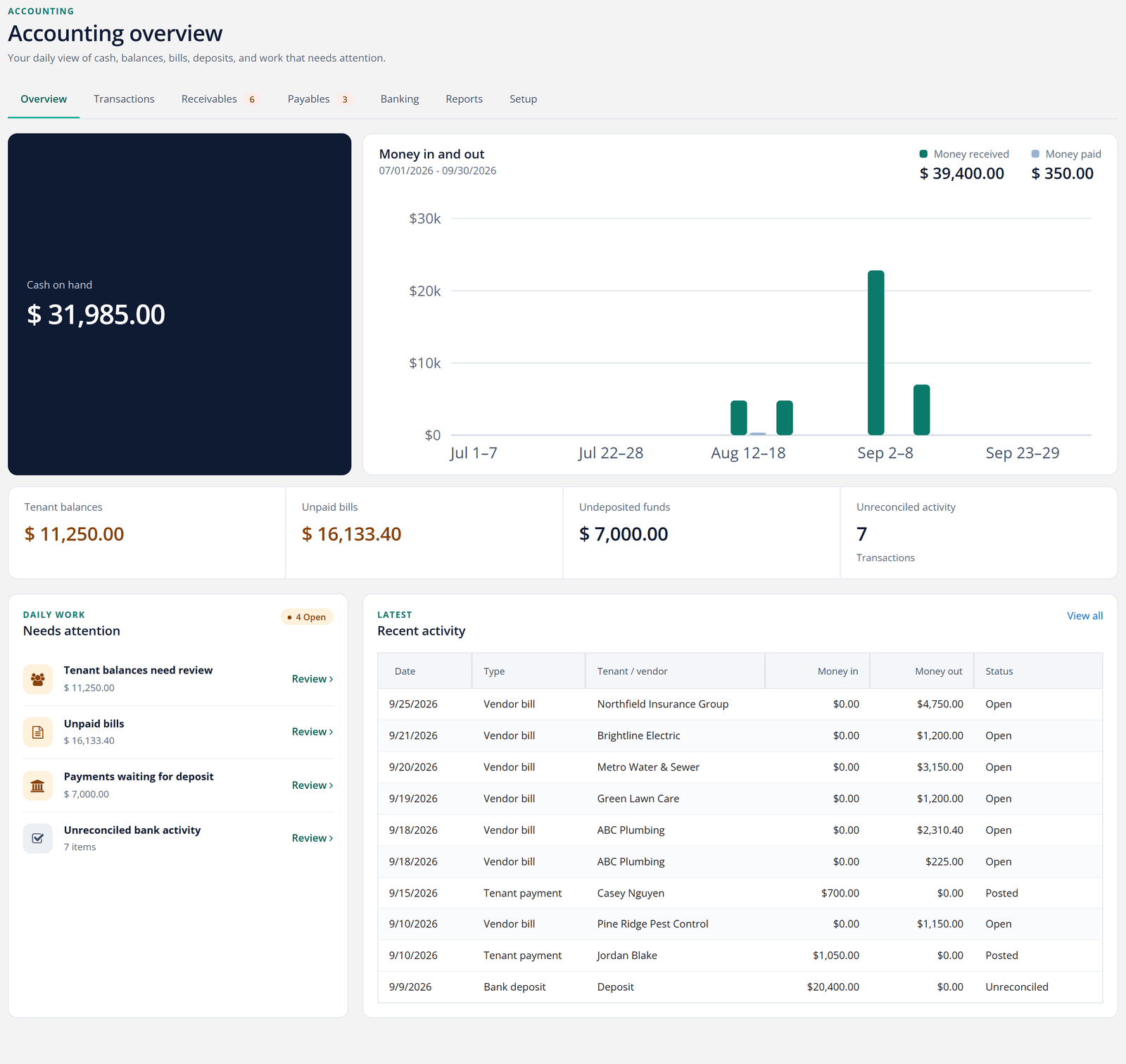
The moment you open Accounting, you see everything
Log into Accounting and the first thing you see is the truth about your business today: cash on hand, who owes you, what's due, and what needs your attention before it turns into a problem.
There's no more starting the morning by clicking through five different screens to piece together where things stand. It's one dashboard, built straight from your live ledger, the second you open it.
- Cash on hand and money in vs. out, at a glance
- Every tenant balance and unpaid bill, totaled
- Undeposited funds and unreconciled activity flagged for you
- A needs-attention list that links straight to the fix
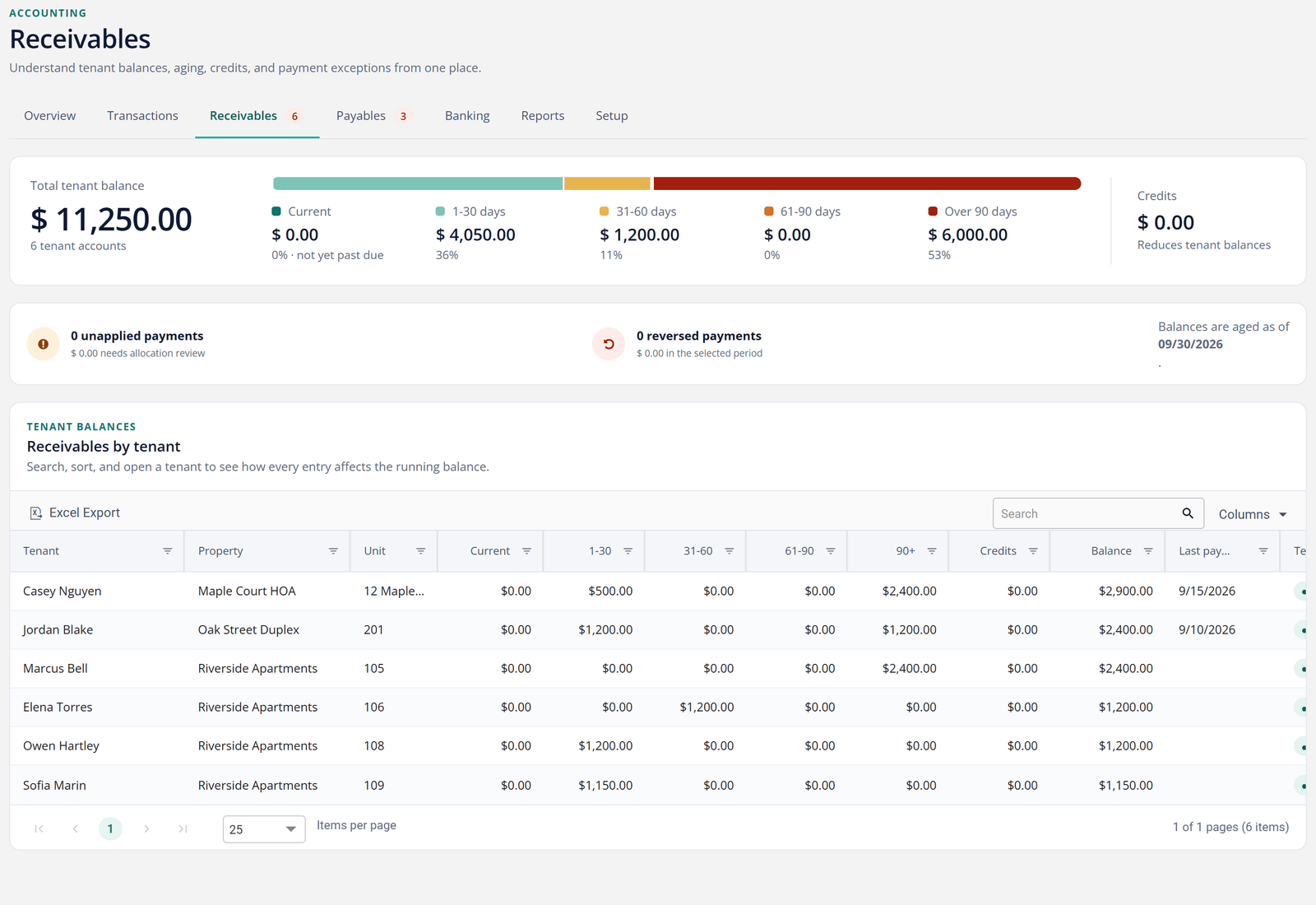
Every transaction in one register, aging done for you
Charges, payments, bills, deposits, refunds, and bank activity: rather than hunting through separate pages, search and filter all of it from a single register.
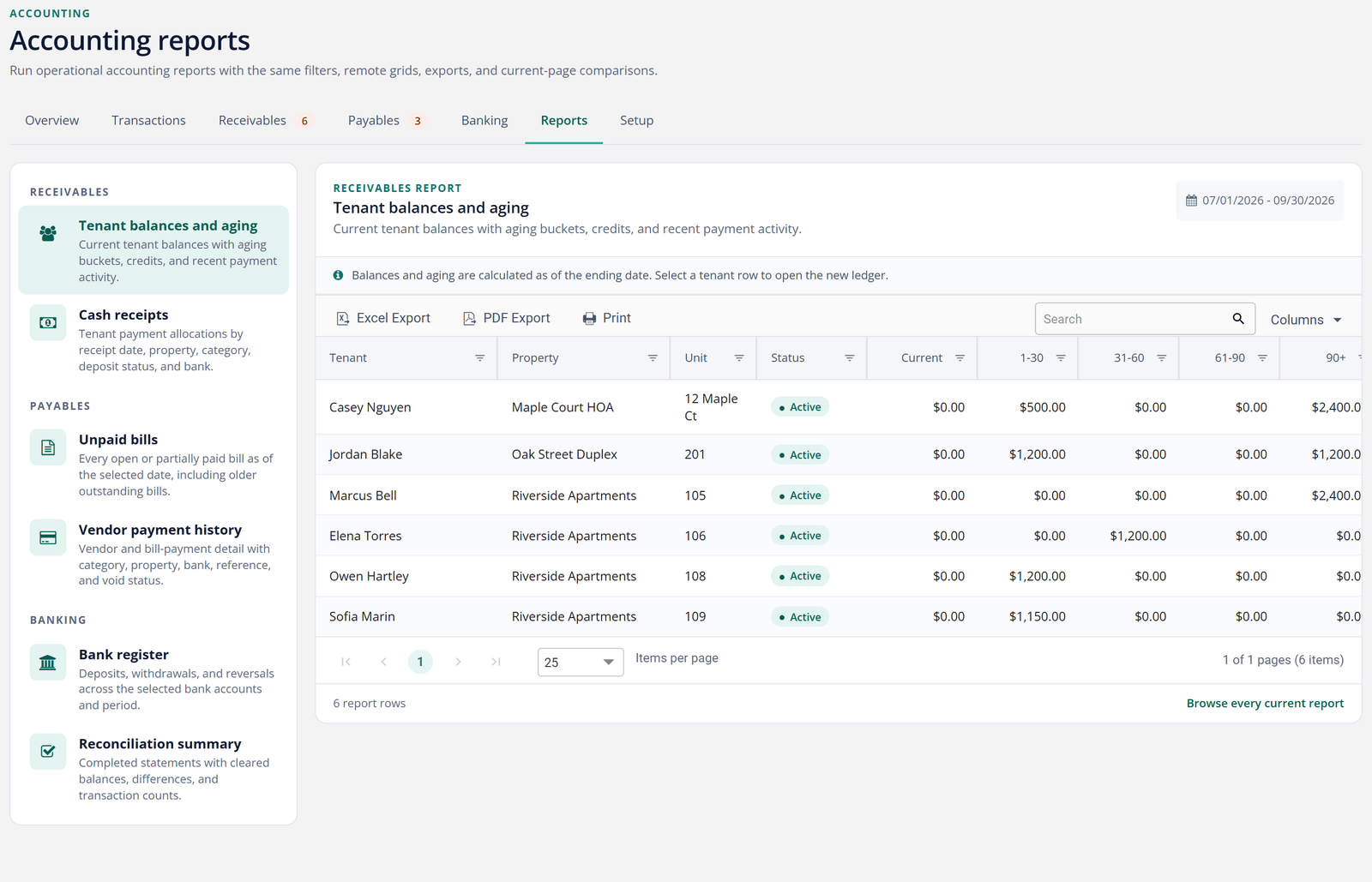
Tenant balances sort themselves into aging buckets automatically, so you know who's current, who's a little late, and who's a real problem before it costs you a month's rent.
- One searchable register for every kind of transaction
- Tenant aging broken into current, 30, 60, and 90+ days
- Save your own filtered views, so the report you check every Monday is one click away
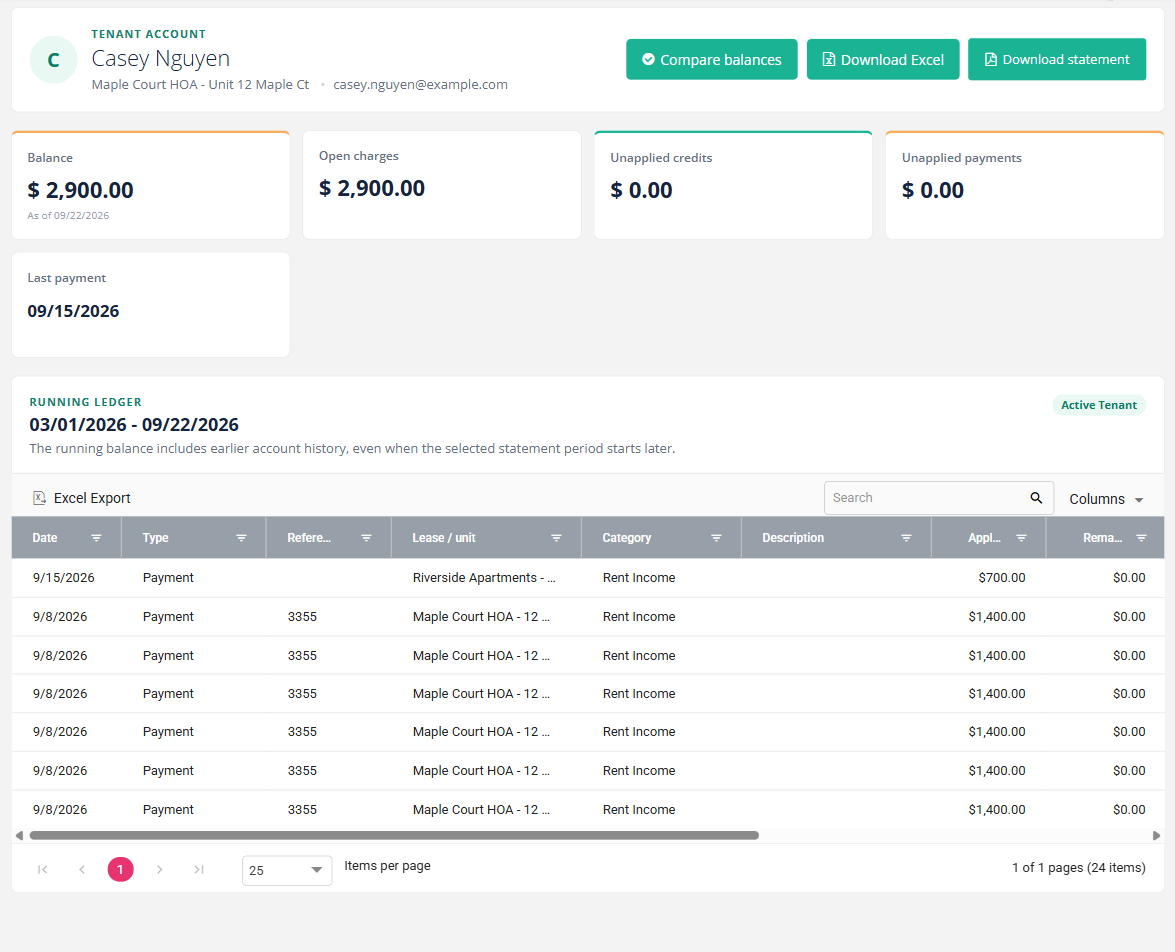
A real ledger, not a list of transactions
Most rental software keeps a list of payments and calls it accounting. TenantLedger keeps actual books: every charge, payment, credit, and deposit posts to a real ledger against a chart of accounts you control.
That means your balances are always right, your history is always auditable, and the answer to "is this account current?" takes one glance, not an afternoon of spreadsheet archaeology. Every tenant also gets a running-balance ledger of their own, with a PDF or Excel statement ready whenever you, an owner, or a tenant needs the full history.
- Chart of accounts you can shape to your business
- Running balances on every lease, automatically
- Charges, payments, credits, and refunds all tied together
- A tenant statement, exported in one click
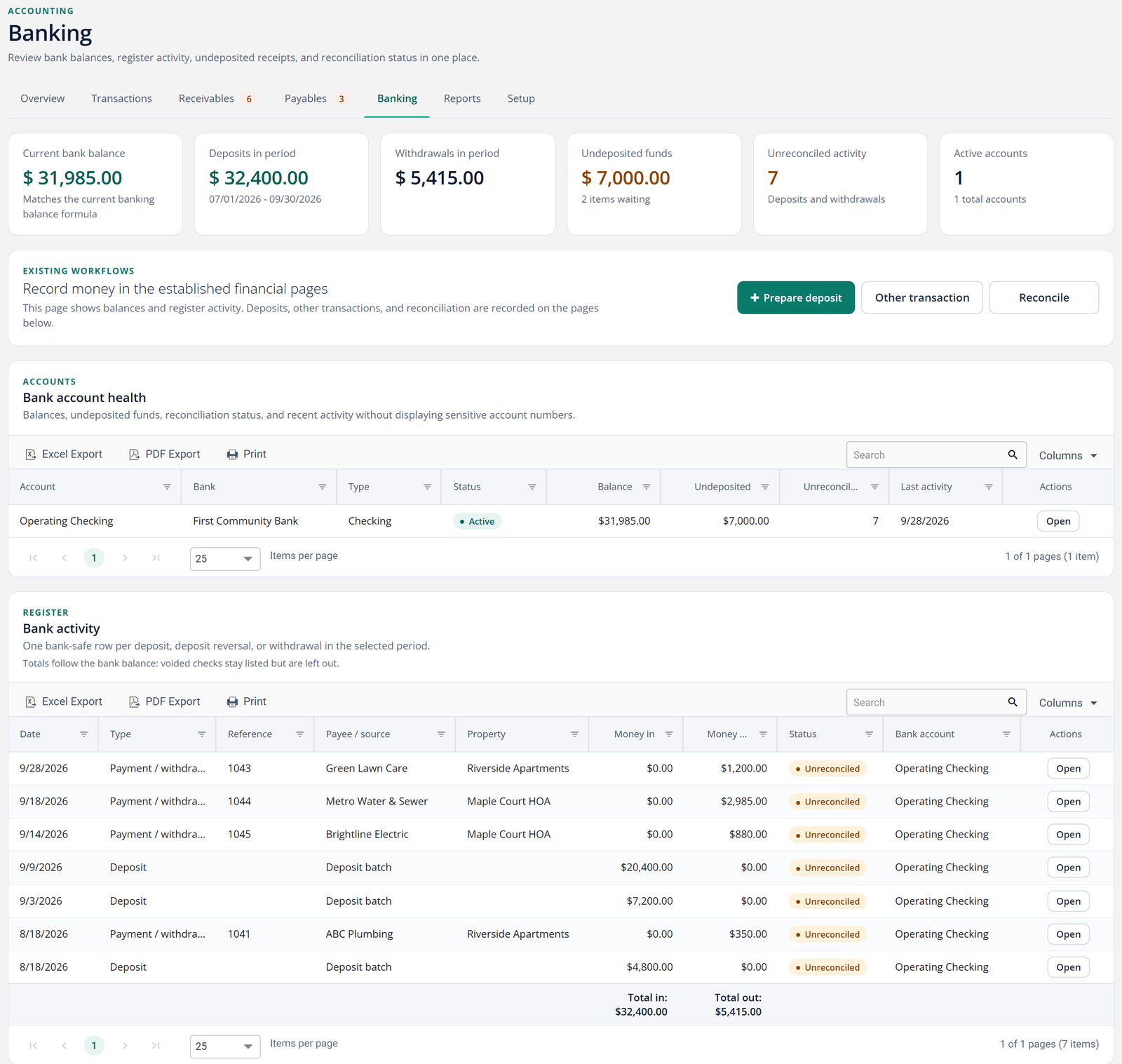
Reconcile your bank accounts
Match your books against your actual bank statements, month by month. Reconciliation is how you catch the missed payment, the double entry, and the deposit that never landed. Catch it before your owners or your accountant do.
Track as many bank accounts as you manage, batch payments into deposits, and print checks straight from the software. The Banking view shows you which accounts have unreconciled activity before you even start, so you know exactly where to look.
- Bank reconciliation against monthly statements
- Deposit batches that mirror what actually hit the bank
- Check printing for vendor and owner payments
20+ reports, two clicks
Rent roll, balance sheet, cash flow, delinquency, tenant statements, vendor summaries: the reports you rebuild by hand every month are already built.
When an owner, a board, or your CPA asks how things look, you have a clean answer in seconds. Accounting also puts your six most-checked reports (tenant aging, unpaid bills, cash receipts, vendor payment history, bank register, and reconciliation summary) one click away, with saved views for the filters you use every month. Need something broader? The full report library is one click further.
- Rent roll and delinquency at a glance
- Balance sheet and cash flow for the full financial picture
- Tenant and owner statements ready to send
Bills and vendors, handled in the same books
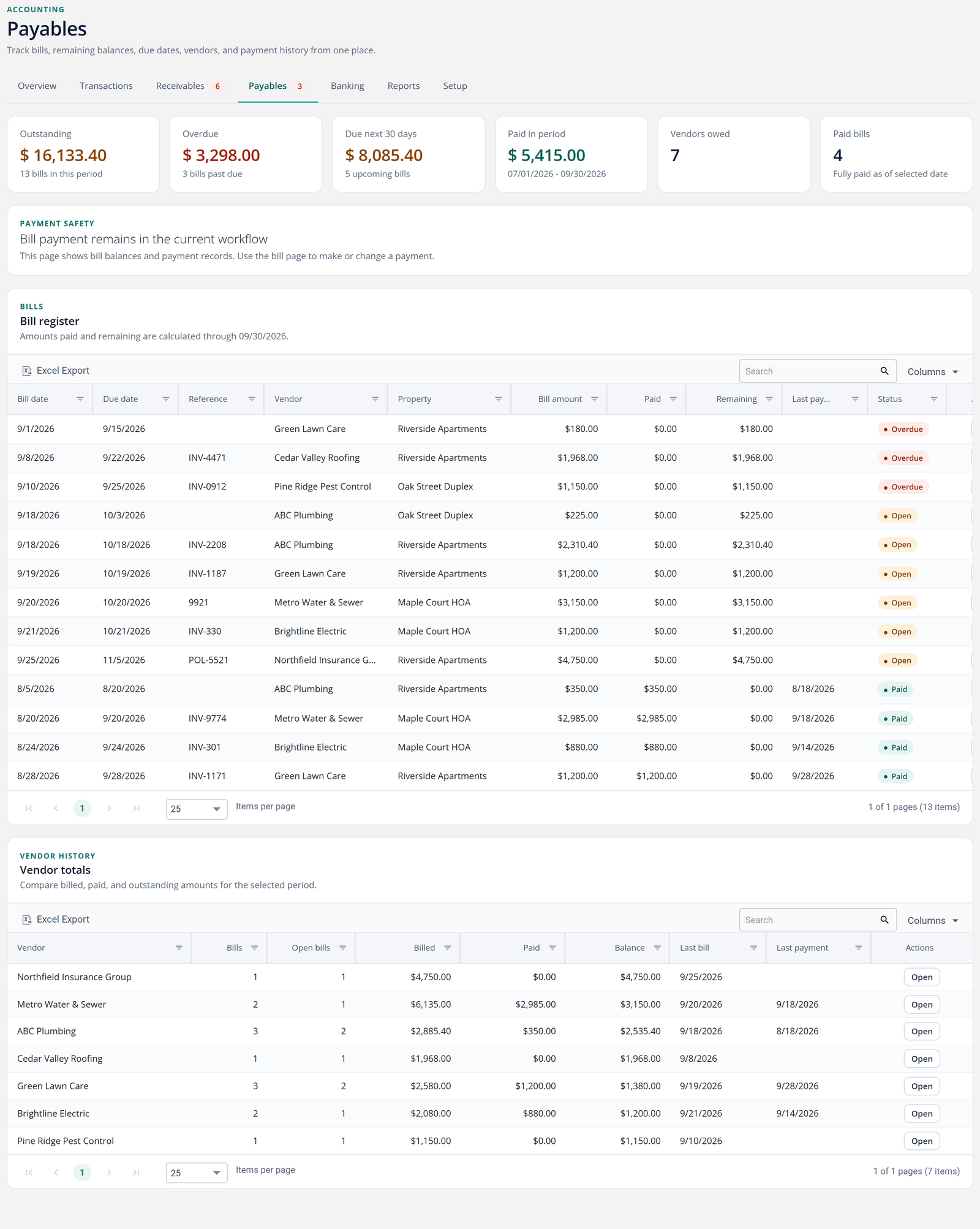
Track bills by property and vendor, pay several at once, and set up recurring bills for the expenses that come every month. Because it all posts to the same ledger, your expense reporting is done as a side effect of paying your bills.
The Payables view keeps every outstanding, overdue, and due-soon bill in one list, next to what you've paid each vendor this year, so nothing quietly slips past due.
Common questions
Do I need to know accounting to use it?
No. You work in plain terms: charge rent, record a payment, pay a bill. TenantLedger keeps the double-entry books underneath. If you can use a spreadsheet, you can keep clean books here.
Can my accountant work with it?
Yes. Accountants get real reports: balance sheet, cash flow, general ledger detail. You can also sync your records to QuickBooks Online, so your CPA works in the tool they already know.
I already have books elsewhere. How do I start?
You start fresh by adding your current properties and active leases. There is nothing to migrate. Most people enter what they have on hand and fill in the rest as they go.
See it with your own properties
Add a property, record a payment, and see your own numbers in minutes.
14-day free trial · No credit card required